Top Picks: Anti-Detect Browsers by Use Case
- Beginners & solo operators → GoLogin, 1Browser
- Agencies & automation teams → AdsPower, NSTBrowser
- Best overall (built-in proxies) → Multilogin, Incogniton
- Tightest budgets → MoreLogin, Dolphin Anty
- Mobile & social media (TikTok/Instagram) → Kameleo, GeeLark
If you manage more than one account on the same platform — for ads, e-commerce, social media, sneaker copping, affiliate marketing, or QA testing — a browser alone won't keep those accounts separate. Sites fingerprint your canvas, WebGL, fonts, and timezone, and they cross-reference every profile against the IP address it connects from. That's why the pairing matters more than either tool alone: an anti-detect browser isolates the fingerprint, and a residential proxy gives that fingerprint an IP address that looks like a real home internet connection instead of a flagged datacenter block.
This guide ranks the 10 anti-detect browsers best set up for residential proxy use in 2026, based on their built-in proxy allowances, supported proxy protocols, pricing per profile, and how easy each one makes it to keep a proxy sticky to a single profile.
Quick answer
If you only read one section, here it is: Multilogin and GoLogin offer the most complete built-in residential proxy experience for most users; Incogniton and NSTBrowser are the best value if you want free proxy traffic bundled into a cheaper plan; Kameleo is the strongest choice for mobile-emulation-heavy workflows; and GeeLark is the pick if you need real Android cloud phones rather than a desktop browser.
Why residential proxies matter for anti-detect browsers
An anti-detect browser stops platforms from fingerprinting your device — it randomizes or spoofs your canvas hash, WebGL renderer, fonts, screen size, and dozens of other signals so each profile looks like a different physical computer. But fingerprinting is only half the detection stack. The other half is IP reputation. A datacenter IP (AWS, OVH, DigitalOcean, etc.) is trivial for platforms to flag because real consumers almost never browse from cloud hosting ranges.
Residential proxies route your traffic through IP addresses that internet service providers have actually assigned to homes, so the connection looks identical to an ordinary customer on Comcast, Vodafone, or Jio. Pairing one sticky residential IP with one browser profile is what actually convinces a platform's trust and safety systems that they're looking at 10 different real people instead of one operator running 10 browser windows.
The three proxy types you'll see referenced throughout this guide:
- Residential proxies — real ISP-assigned home IPs; highest trust, best for social media, marketplaces, and ad verification.
- Mobile (4G/5G) proxies — real carrier IPs shared by thousands of real phones (CGNAT); the highest trust tier, ideal for TikTok, Instagram, and other mobile-first apps.
- ISP (static residential) proxies — datacenter-hosted but registered to residential ASNs; a fast, cheaper middle ground for less aggressive platforms.
How we evaluated these tools
Rankings combine publicly documented pricing and feature pages from each vendor (checked directly on official pricing pages as of August 2026, cited in the Sources section) with the criteria multi-accounting operators consistently cite as decisive:
- Proxy support depth — does the tool bundle free residential/mobile proxy traffic, or is it strictly bring-your-own-proxy?
- Protocol coverage — HTTP/HTTPS/SOCKS5/SSH support, and whether proxies can be locked per profile.
- Fingerprint quality — canvas/WebGL/font spoofing, real-device fingerprint databases, mobile emulation.
- Price per profile at realistic team sizes (10, 50, 100+ profiles).
- Team and API features for agencies running multi-seat operations.
We did not accept any placement in exchange for ranking position. Pricing changes frequently — always confirm current numbers on the vendor's own pricing page before buying.
Comparison table
10 anti-detect browsers ranked by residential proxy support (2026)
| Browser | Free plan | Entry paid plan | Built-in residential proxy | Best for |
|---|---|---|---|---|
| GoLogin | 3 profiles | $24–49/mo (10–100 profiles) | Yes, GBs on paid tiers | Beginners & solo operators |
| AdsPower | 2 profiles, free forever | ~$9–50/mo (10–100 profiles) | BYO + curated proxy catalog | Agencies wanting automation/RPA |
| 1Browser | 10 profiles + free proxies (5 countries) | Subscription for extra profiles | Yes, free datacenter/residential mix | Free-tier testers |
| Multilogin | 5 profiles + 200MB proxy traffic | From $7.08/mo (10 profiles) | Yes, residential/mobile/ISP built-in | Best overall value |
| MoreLogin | 2 profiles/2 users | $5.4/mo (10 profiles) | BYO via proxy resource center | Tightest budgets |
| Incogniton | Trial only | $13.99/mo (10 profiles) | Yes, free built-in on every plan | Free residential proxy volume |
| NSTBrowser | Pay-as-you-go | $29.9/mo (Starter) | Yes, 1–2GB/mo residential/IPv6 | High-volume automation teams |
| Kameleo | 2 concurrent browsers, 100 cloud profiles | €59/mo (10 concurrent) | BYO, any protocol per profile | Mobile-emulation fingerprints |
| GeeLark | 2 profiles, 30 min | Free base tier (up to 1,000 profiles) | BYO 4G/residential recommended | Real Android cloud phones |
| Dolphin Anty | 5 profiles | $10/mo (20–60 profiles) | BYO, HTTP/SOCKS5/SOCKS4/SSH | Cheapest paid entry point |
Pricing reflects publicly listed rates at time of writing and is subject to change — see each vendor's pricing page for current numbers.
1. GoLogin
GoLogin is one of the most widely used anti-detect browsers because it keeps the interface simple without cutting fingerprint depth. Every paid plan includes an allotment of residential proxy traffic, so you're not forced to shop separately before you can launch your first proxy-backed profile.
Pros
- Residential proxy GBs included from the entry Professional plan up
- Large fingerprint database for unique digital identities
- 7-day full-feature trial before paying
- Cloud profile launching and Android app
Cons
- Free plan capped at 3 profiles
- Bundled proxy GB allowances aren't published in granular detail per tier
Pricing: Free (3 profiles) → Professional $24–49/mo (10–100 profiles) → Business $49–99/mo (300–500) → Enterprise $99–199/mo (1,000) → Custom $149–299/mo (2,000+).

AdsPower leans hardest into automation: its RPA engine, Synchronizer, and Local API make it the pick for teams that want to script actions across dozens of profiles rather than click through them manually. It doesn't sell proxies directly, but its in-app Proxy Catalog makes it fast to compare and plug in residential proxy providers.
Pros
- Free forever plan with 2 profiles, no credit card
- Strong RPA/automation and Local API tooling
- Unlimited profile sharing for teams
- Quarterly (10%) and annual (20%) billing discounts
Cons
- No bundled residential proxy traffic — bring your own
- Enterprise pricing (5,000+ profiles) requires a sales call
Pricing: Free (2 profiles) → Professional (10–100 profiles) → Business (custom scale) → Enterprise 5,000+ profiles, quote-based.

1Browser stands out for bundling free proxy access straight into its free tier — up to 10 isolated profiles plus complimentary proxy locations in the US, Canada, Germany, Australia, and India, on top of a 500MB datacenter proxy bonus. It supports residential, mobile, datacenter, Tor, and user-supplied proxies per profile.
Pros
- Genuinely free proxy locations without a paid plan
- Client-side encryption before data leaves your device
- Runs on Windows, macOS, and Linux, Intel and ARM chips
Cons
- Published pricing for higher profile tiers is limited
- Smaller ecosystem and community than category leaders
Pricing: Free tier with 10 profiles and free proxy locations; paid subscriptions unlock additional profiles.
Multilogin is our top overall pick because proxies are a native part of the product rather than a bolt-on: residential, mobile, and ISP proxy traffic is bundled into every paid plan and reusable through saved proxy templates. Even the free plan includes 200MB of proxy traffic and 30 mobile minutes, so you can test the full stack before paying.
Pros
- Built-in residential/mobile/ISP proxies, no separate setup
- Proxy templates you can save and reuse across profiles
- Bulk proxy pricing from $2.275/GB
- Free plan includes real proxy traffic, not just a demo
Cons
- Business-tier pricing scales quickly for large agencies
- Mobile-minute billing adds a second cost dimension to track
Pricing: Free (5 profiles, 200MB proxy traffic) → Pro from $7.08/mo (10/50/100 profiles) → Business from 300 profiles with 10GB premium proxy traffic/mo.

MoreLogin's Pro plan undercuts most of the category on price, which makes it attractive for solo operators scaling past a handful of accounts. It doesn't bundle its own residential proxy pool, but its resource center and batch import tools make attaching third-party proxies fast.
Pros
- Pro plan starts at $5.4/mo, one of the lowest entry prices tested
- Batch operations for profile creation, proxy import, and cookies
- Real canvas fingerprinting and Local API/WebDriver support
Cons
- No bundled residential proxy allowance
- Free plan is limited to 2 profiles and 2 users
Pricing: Free (2 profiles) → Pro $5.4/mo, discounted from $9/mo (10 profiles) → Custom enterprise plans.

Incogniton bundles free built-in proxies into every single tier, not just the top ones, which is unusual in this category. Its Proxy Shop then lets you top up with additional residential or datacenter IPs from integrated partners when the free allowance runs out.
Pros
- Free built-in proxies on every paid plan
- HTTP/SOCKS5/SSH protocol support across the board
- Widevine (DRM) support, useful for streaming-adjacent workflows
- Accepts crypto payments
Cons
- No permanent free plan, only a trial
- Team seats are limited until the Professional tier and above
Pricing: Starter Plus $13.99/mo (10 profiles) → Entrepreneur $20.99/mo (50) → Professional $55.99/mo (150, 3 seats) → Custom $104.99+/mo (500+).
7. NSTBrowser

NSTBrowser is built for scale: plans support tens of thousands of stored browser profiles and up to 50,000 daily launches on the top tier, with free residential, IPv6, and datacenter proxy traffic included every month. Overage pricing for residential traffic ($1.5–1.8/GB) stays competitive even past the free allowance.
Pros
- Free residential/IPv6/datacenter proxy traffic bundled monthly
- Very high profile and daily-launch ceilings for agencies
- RPA, containers, and window management built in
- Annual billing discount up to 40%
Cons
- Bundled proxy GB (1–2GB/mo) is modest relative to large teams' needs
- Steeper learning curve given the automation depth
Pricing: Free pay-as-you-go → Starter $29.9/mo → Growth $49.9/mo → Scale $89.9/mo.

Kameleo's multi-kernel architecture (Chromium, Firefox, and multiple genuine mobile browser engines) makes it the strongest choice when you specifically need believable Android or iOS browser fingerprints, not just desktop spoofing. Any proxy type — residential, mobile, static, dedicated, or rotating — attaches per profile over HTTP/HTTPS/SOCKS5/SSH.
Pros
- Real mobile browser engines, not just spoofed user-agents
- Flexible per-profile proxy assignment, any protocol/type
- Free plan includes 100 cloud profiles and 300 minutes
- Docker support for server-side deployment
Cons
- Priced in EUR and noticeably higher than category peers at scale (Business €299/mo)
- No bundled proxy traffic — proxies are always bring-your-own
Pricing: Free (2 concurrent browsers) → Startup €59/mo (10 concurrent) → Business €299/mo (100 concurrent) → Enterprise €1,499/mo (1,000 concurrent).
9. GeeLark
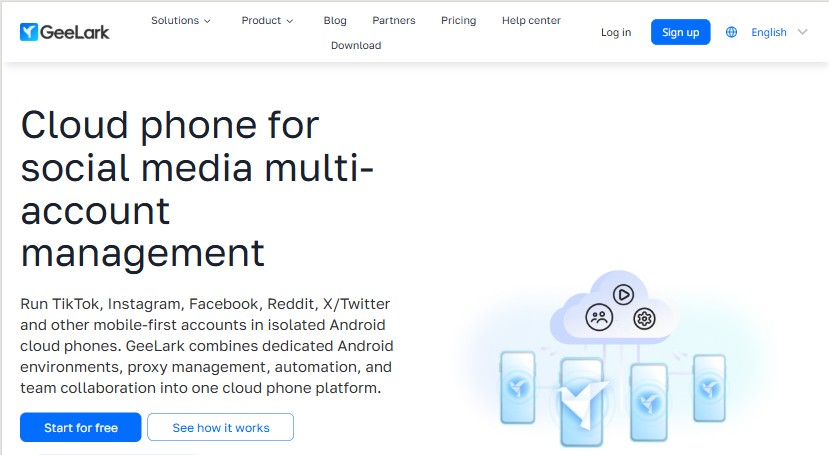
GeeLark isn't a browser at all — it's a cloud phone platform, giving you a real virtual Android device per profile instead of a spoofed desktop fingerprint. That makes it the go-to option when the platforms you're targeting (TikTok, Instagram, Snapchat) actively fingerprint mobile app behavior, not just browser signals. Pair it with real 4G/residential mobile proxies for the strongest trust signal in the category.
Pros
- Genuine Android OS-level fingerprints, not browser emulation
- Free Base tier supports up to 1,000 profiles
- Built-in AI tools for image/video generation aimed at social content
- Bulk cloning and RPA templates for mobile workflows
Cons
- No native residential proxy marketplace — 4G/residential proxies must be sourced separately
- Device rental ($29.90/device/mo) and time-based minutes add up for heavy use
- Not a fit if your workflow is desktop-only
Pricing: Free (2 profiles, 30 min) → Base (free, up to 1,000 profiles) → Pro (up to 50,000 profiles) → Custom (unlimited); device rental from $29.90/mo.
10. Dolphin Anty

Dolphin Anty offers the lowest-priced paid entry point in this list at $10/month for 20–60 profiles, making it a favorite for solo operators and small teams. It supports HTTP, SOCKS5, SOCKS4, and SSH proxies with quick IP-rotation links, though — like AdsPower and Kameleo — you'll need to bring your own residential proxy provider.
Pros
- $10/mo entry plan is the cheapest paid tier tested
- Free plan includes 5 profiles with local sync and audit logs
- Role-based team access (Admin, Team Lead, User) from the Base tier
- Quick-copy and rotation-link tools for fast proxy swaps
Cons
- No bundled residential proxy traffic
- Jump from Starter to Base ($10 → $89/mo) is steep for growing teams
Pricing: Free (5 profiles) → Starter $10/mo (20–60) → Base $89/mo (100) → Team $159/mo (300) → Enterprise $299/mo (1,000+).
How to choose the right browser-and-proxy pairing
Match the tool to what you're actually protecting against, rather than picking the most-hyped name:
- If you're just starting out and want to see the whole stack work before spending money, start with Multilogin's or 1Browser's free tier — both include real proxy traffic, not just a demo.
- If you manage 50–500 accounts for a client or agency, prioritize built-in proxy bundles (Multilogin, GoLogin, Incogniton, NSTBrowser) so proxy procurement doesn't become a second vendor relationship to manage.
- If your targets are mobile apps (TikTok, Instagram, dating apps), Kameleo's mobile browser kernels or GeeLark's real Android cloud phones will out-perform any desktop-only spoofing, especially when paired with mobile/4G proxies.
- If price per profile is the deciding factor, Dolphin Anty and MoreLogin currently have the lowest paid entry points in this comparison.
- Always keep proxies sticky per profile. Whichever browser you choose, assign one dedicated residential IP to one profile and avoid rotating mid-session — that consistency is what fingerprint isolation depends on.
Frequently asked questions
Residential proxies are the best default choice because they route traffic through real ISP-assigned IP addresses, which platforms trust far more than datacenter IPs. Mobile (4G/5G) proxies are the next step up for mobile-first platforms like TikTok and Instagram, while ISP proxies offer a middle ground of residential-grade trust with datacenter-grade speed.
Multilogin, GoLogin, Incogniton, and NSTBrowser all bundle free residential or mixed proxy traffic directly into their paid plans, so you can launch profiles without buying proxies separately. Multilogin and Incogniton include a proxy allowance even at the entry level, which makes them good starting points for testing.
Yes. In almost every serious multi-accounting or scraping use case, each browser profile should be paired with its own sticky, session-persistent residential IP. Reusing one IP across many profiles, or rotating the IP mid-session, undermines the fingerprint isolation the anti-detect browser is providing and increases the chance of accounts being linked or flagged.
Anti-detect browsers and residential proxies are legal tools used by advertising agencies, market researchers, brand-protection teams, and QA testers. However, using them to violate a platform's terms of service, commit fraud, or evade a legitimate ban can still expose you to account termination or legal liability depending on how they're used — always check the terms of the platforms you operate on.
Bundled residential proxy traffic inside anti-detect browser plans typically costs between $1.50 and $2.30 per GB at bulk rates, while standalone residential proxy providers charge roughly $2 to $8 per GB depending on pool size, geo-targeting precision, and whether the IPs are rotating or sticky-session.